Starting a new business is thrilling, but managing your budget can be a challenge. With expenses for rent, equipment, marketing, and legal fees quickly adding up, professional graphic design may seem out of reach. Fortunately, Canva offers a budget-friendly solution for startups to achieve outstanding branding without breaking the bank. Ready to elevate your brand? Let’s dive into how you can start your Affordable Startup Canva Branding journey with DIY solutions using Canva!
Getting Started with Canva for Your Startup
Before you begin designing, make sure you have the following essentials:
- A Strong Brand Name: Ensure it’s established and approved.
- Social Media Profiles: Crucial for marketing your brand.
- A Website: Even a simple one-page site will suffice.
- A Canva Account: Your primary tool for design.
- A System for Storing Branding Files: Keep everything neatly organized.
Your logo is often the first impression people have of your brand. Here’s how to design an effective logo with Canva:

Choosing Your Brand Colors
Colors are vital in bringing your brand’s identity to life. They should enhance your logo and reflect your brand’s essence. Here’s a guide to selecting your brand colors:
- Industry Relevance: Choose colors that resonate with your industry (e.g., blue and white for healthcare, yellow and black for construction).
- Color Palette: A palette of three colors works well – one primary color and two complementary accents.
- Image Extraction: Use an image that represents your brand and extract the three most prominent colors to create your palette.
Typography and Branding Plan
Typography serves as the voice of your brand. It should be legible, accessible, and visually appealing. Follow these steps:
- Font Selection: Choose 2-3 fonts from Google Fonts – one for headings and another for body text.
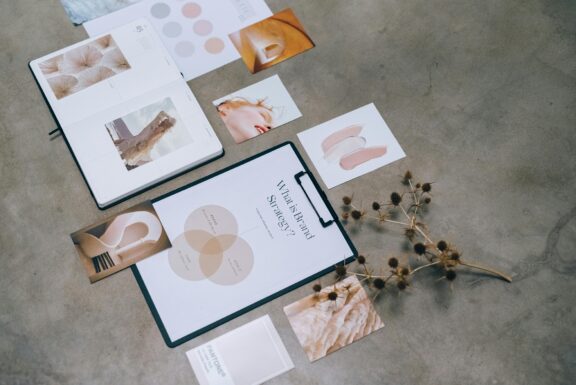
- Branding Plan: Integrate your fonts, colors, and illustrations to form a cohesive brand look. Create a mood board for visual guidance.
Creating a Mood Board
A mood board visually represents your brand’s identity. Here’s how to create one:
- Elements: Include your logo, color palette, images, and design illustrations.
- Tool: Utilize Canva or your preferred design program.
- Storage: Save the mood board in your branding folder for easy access.
DIY branding can be time-consuming, but Canva makes it both efficient and cost-effective. By following these steps, you can build a brand that perfectly represents your startup and helps it shine. Ready to start your Affordable Startup Canva Branding adventure? Begin today with Canva and set your startup on the path to success!
Feel free to reach out with any questions or share your branding success stories in the comments below!