Ever dreamed of designing a magazine cover that looks like it came straight from a high-end publishing house, but without the hefty price tag? Well, you’re in luck! With Canva, you can craft a magazine cover that rivals those produced by expensive software like Adobe InDesign or hired graphic designers. Let’s dive into how you can make your own eye-catching magazine cover design, focusing on fashion but also touching on other popular genres like food, travel, sports, and weddings.
Essential Tips for Magazine Cover Design
Designing a magazine cover can be a fun and rewarding process, especially when you have the right tools and inspiration. Canva provides a range of templates that can help you achieve a professional look without breaking the bank. Here’s a step-by-step guide to creating a fantastic magazine cover design:

1. Choose Your Magazine Type
To start, decide on the type of magazine you want to create. Whether it’s a fashion magazine, a food magazine, a travel magazine, a sports magazine, or a wedding magazine, your design will vary based on its purpose and audience.
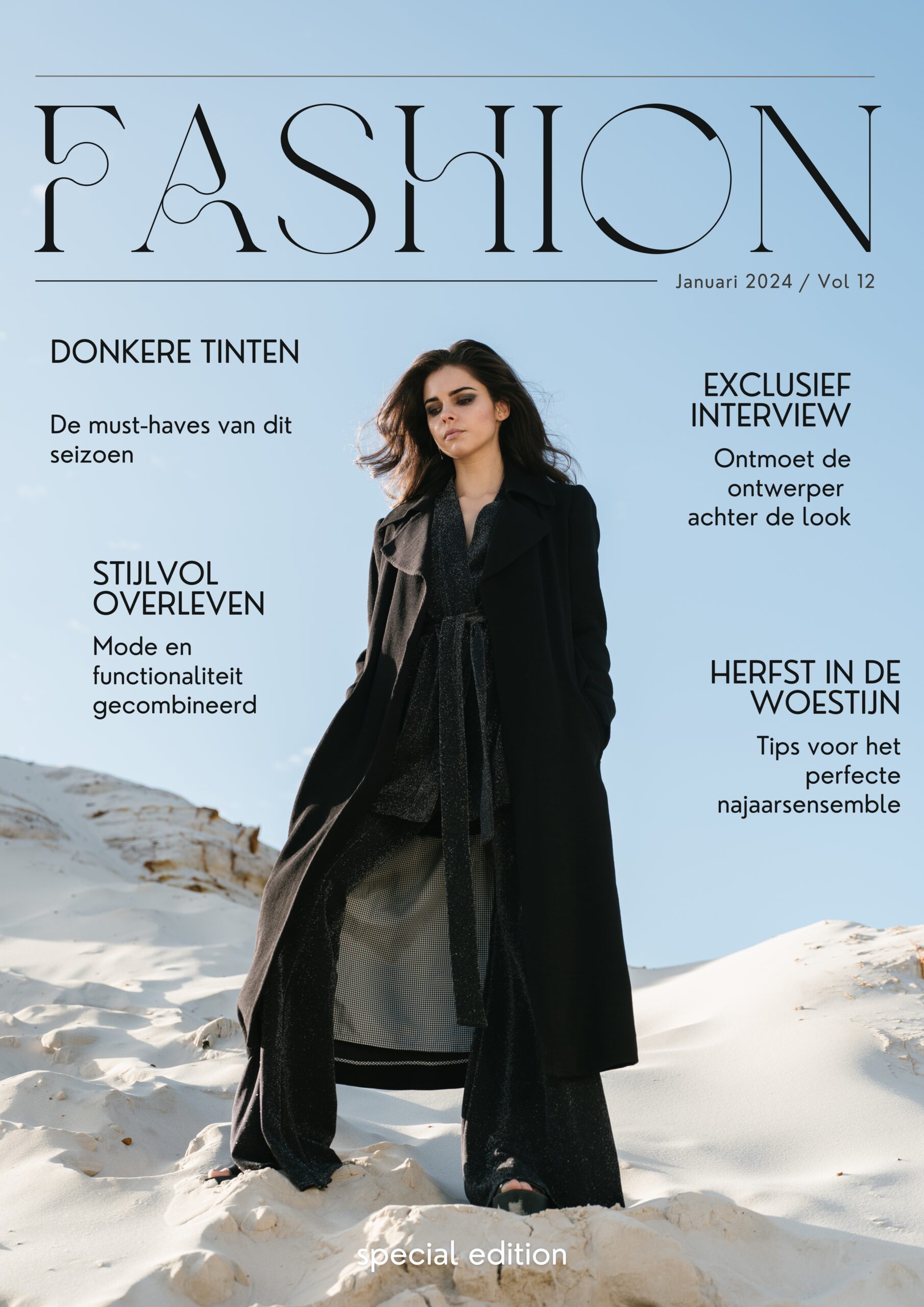
- Fashion Magazine: Opt for bold, high-fashion images and striking typography.
- Food Magazine: Use appetizing images and clean, elegant fonts.
- Travel Magazine: Incorporate beautiful landscapes and adventurous fonts.
- Sports Magazine: Choose dynamic images and energetic fonts.
- Wedding Magazine: Go for romantic images and sophisticated typography.
Free Canva Magazine Template
2. Designing the Magazine Cover Layout
The layout of your magazine cover is crucial for making a lasting impression. Here are some key elements to include:
- Title: The magazine’s name should be prominent. Choose a font that reflects the magazine’s theme, such as elegant fonts for fashion or playful fonts for food.
- Main Image: This is the focal point of your cover. High-quality, relevant images will grab the reader’s attention.
- Cover Lines: Include intriguing cover lines or teasers that entice readers to pick up the magazine.
- Issue Date and Price: Don’t forget to add the issue date and price. This information is usually placed at the top or bottom of the cover.

Free Canva Magazine Template
3. Using Canva for Your Magazine Cover Design
Canva’s easy-to-use interface allows you to drag and drop elements, customize templates, and experiment with different fonts and colors. Here’s how to make the most of Canva:
- Templates: Start with a Canva template that fits your magazine type. Customize it with your own images, text, and colors.
- Images and Graphics: Use high-resolution images and Canva’s extensive library of graphics to enhance your design.
- Typography: Experiment with different fonts and sizes to create a balanced and visually appealing cover.

Free Canva Magazine Template
4. Additional Tips for a Professional Magazine Cover
- Consistency: Ensure that your cover design is consistent with the magazine’s content and theme.
- Visual Hierarchy: Use size and color to create a visual hierarchy that guides the reader’s eye.
- Feedback: Get feedback from others to refine your design and make it even better.

Free Canva Magazine Template
Creating a magazine cover design with Canva is an exciting way to showcase your creativity without the need for expensive software or professional help. Whether you’re working on a fashion magazine, a food magazine, or any other genre, Canva offers the tools and flexibility you need to bring your vision to life. Ready to start designing? Check out Canva’s templates and get started on your magazine cover today!
Ready to make your own stunning magazine cover? Explore Canva’s templates and get started on your design journey today! For more inspiration, visit my Canva portfolio and follow me on Pinterest.